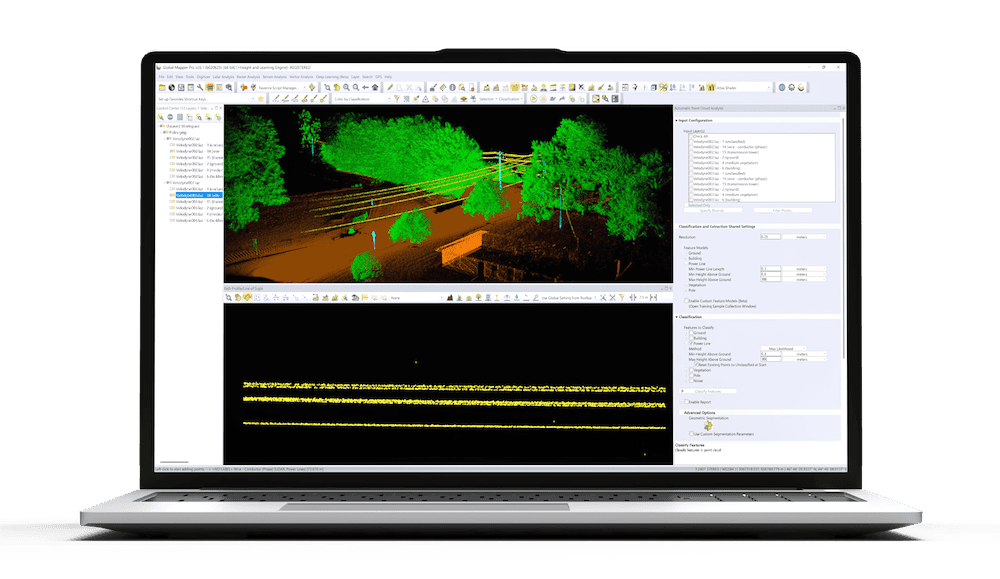
Blue Marble Geographics’ Global Mapper® provides an integrated platform for visualizing and analyzing spatial data. In the article, Bring Your Data to Life: Visualizing Data in Global Mapper, Blue Marble explores how the software’s visualization tools support efficient mapping and analysis workflows for users across a range of technical backgrounds.
By combining advanced rendering, animation, and 3D viewing capabilities, Global Mapper enables users to transform raw spatial information into visual representations that support clearer interpretation and communication.
Visualization methods play a crucial role in how elevation and surface data are understood. Global Mapper extends standard color ramp options with shaders based on intensity, NDVI, and slope values, enabling users to explore terrain from multiple perspectives. Version 26.2 introduced updated Lidar/Terrain Display Controls that refine how shaders and display ranges are adjusted. Users can filter point cloud data by elevation, classification, or intensity, temporarily hiding points without altering the dataset. These controls allow precise refinement of how terrain or lidar data is displayed while maintaining data accuracy.
To support temporal data visualization, version 26.2 added the Animation Tool, allowing users to build, preview, and export animations directly within a floating pane. Layers can be shown sequentially to depict scenarios such as water-level rise, solar shadow movement, or vessel tracking. Multiple animations can be created within one project and exported as video files for sharing and presentation. This functionality helps users illustrate spatial or environmental change clearly over time.
The 3D Viewer extends Global Mapper’s capabilities into three-dimensional analysis and modeling. Supporting the same range of formats as the main workspace, it enables detailed exploration of terrain, structures, and point clouds. Customizable skyboxes enhance scene environments with lighting and background options, including presets such as Sunny Day or custom textures created by the user. Flythrough and walkthrough tools allow navigation along defined paths, with the option to record and export video outputs for review or communication.
From configurable shaders and lidar filtering to dynamic animation and 3D modeling, Global Mapper provides a complete set of visualization tools for examining and presenting spatial data.
Read the full article to explore how these capabilities support more effective data interpretation and presentation.